Most SOC finds it challenging to go through the vast amount of (false positive) alerts. The good thing those alerts are indeed indications that something is happening that needs their attention. The bad thing is that even SOC teams are under understaffing pressure and challenging budgets and that it is not easy to pick the most important alerts to focus on. One of the reasons […]
ServiceNow CMDB integration with Splunk
This is the only fully functional ServiceNow CMDB integration to Splunk. This integration enables engineers to use ServiceNow CMDB content AND context.
Let Splunk Enterprise and ServiceNow really work together
This is part 3 of the “Splunk and CMDB/CSM/IT4IT blog series”. This post is focused on letting ServiceNow CMDB (CSDM) and IPC working together with Splunk Enterprise, Splunk Enterprise Security, and Splunk IT Service Intelligence. It is one of the use cases of my Common/Corporate Metadata Data Management (CMDM) solution by doing the Splunk and ServiceNow integration. What is there on the Splunk market already? […]
Splunk and CMDB/CMS/IT4IT blog series part 2: Do we still need it/them?
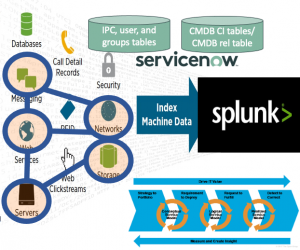
In the first blog in this series, I talked about my background in where content and context were needed. I also talked about why I think that CMDB/CMS/IT4IT content and context are needed within Splunk Enterprise.In this post, I want to take the time why I think we still are in need of such a CMDB/CMD/CSDM and why I introduce a new solution and abbreviation. […]
Splunk and CMDB/CMS/IT4IT blog series part 1: Why should we bother?
This is part 1 of a series of blogs about “Splunk and CMDB/CMS/IT4IT” where I want to share my quest for this subject. For the readers of this blog series. When I talk about “IT4IT” I mean the service or digital product backbone and/or all other data objects. Starting my career as 3rd line network support engineer I was attracted to why companies were facing […]
Recent Comments